Our testsPublished · Last checked
How much of your App Store header each device hides
We measured how much of an App Store header and search video iPhone, iPad and iPhone Duo hide, with a calibration grid in App Store Connect's preview.
App Store Connect has a Device Preview that shows a product page on iPhone, iPad and iPhone Duo.[1] On October 22 we put a calibration video in the header of our test app, on a version we never submitted, and opened it in every view the preview offers. The video is a grid with a line every 5% of the width and every 10% of the height. Each line is labelled with its distance to the nearest edge, and a timecode runs on every frame.
For each view we read, from the preview page, the size of the frame the video is drawn in and how the video is fitted to it. The labels left at the edges of the grid match those figures.
The header
| Device | Hidden, left and right | Hidden, top and bottom | Over the video |
|---|---|---|---|
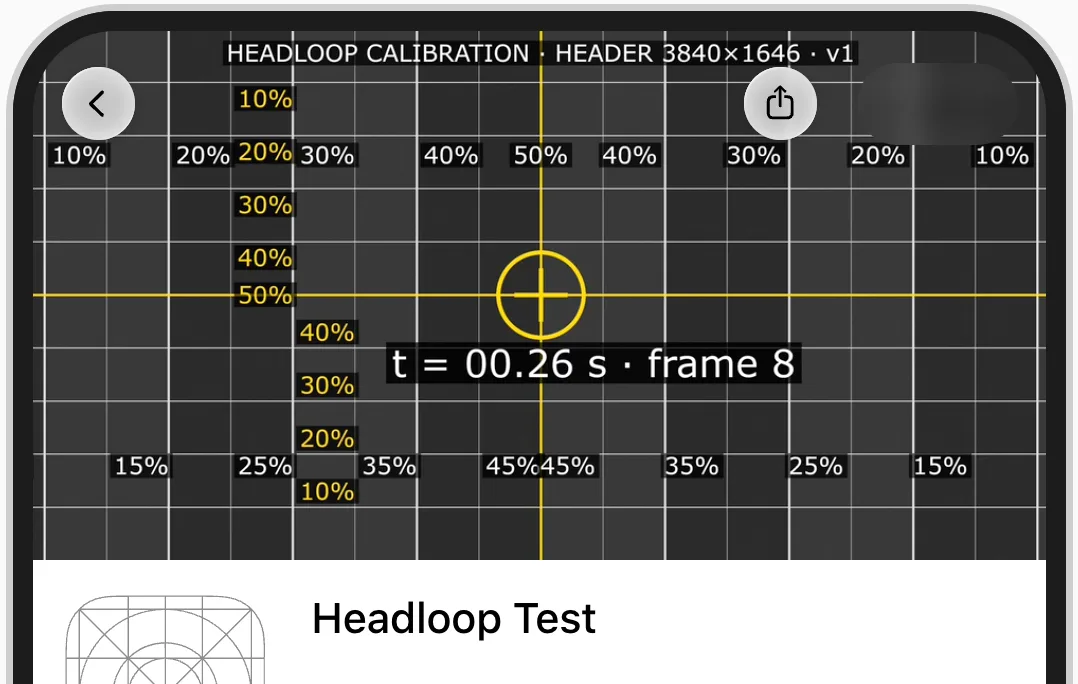
| iPhone (portrait) | 17.6% | 0% | status bar, Dynamic Island and App Store buttons |
| iPad (portrait) | 0% | 3.3% | tab bar and App Store buttons |
| iPad (landscape) | 0% | 15% | tab bar and App Store buttons |
| iPhone Duo (inner screen, portrait) | 9% | 0% | App Store buttons |
| iPhone Duo (inner screen, landscape) | 0% | 7.1% | App Store buttons |
| iPhone Duo (outer screen, portrait) | 0% | 0% | camera and App Store buttons |
| iPhone Duo (outer screen, landscape) | 0% | 19.2% | App Store buttons |
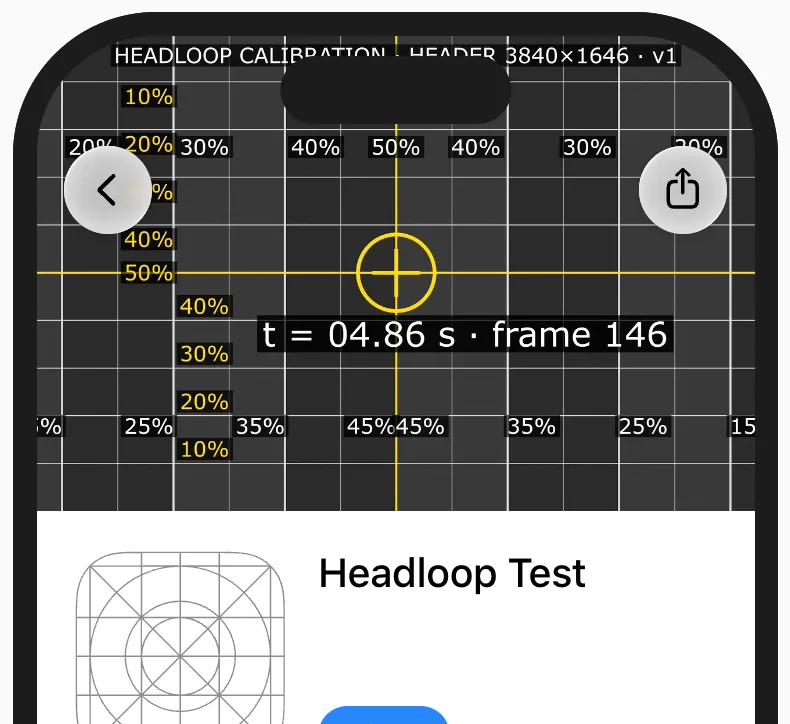
iPhone in portrait: the edges fall between the 15% and 20% lines.
On iPhone the whole height of the file shows. The back and share buttons cover the top corners, and the Dynamic Island covers the top centre. The preview has no landscape view for iPhone.
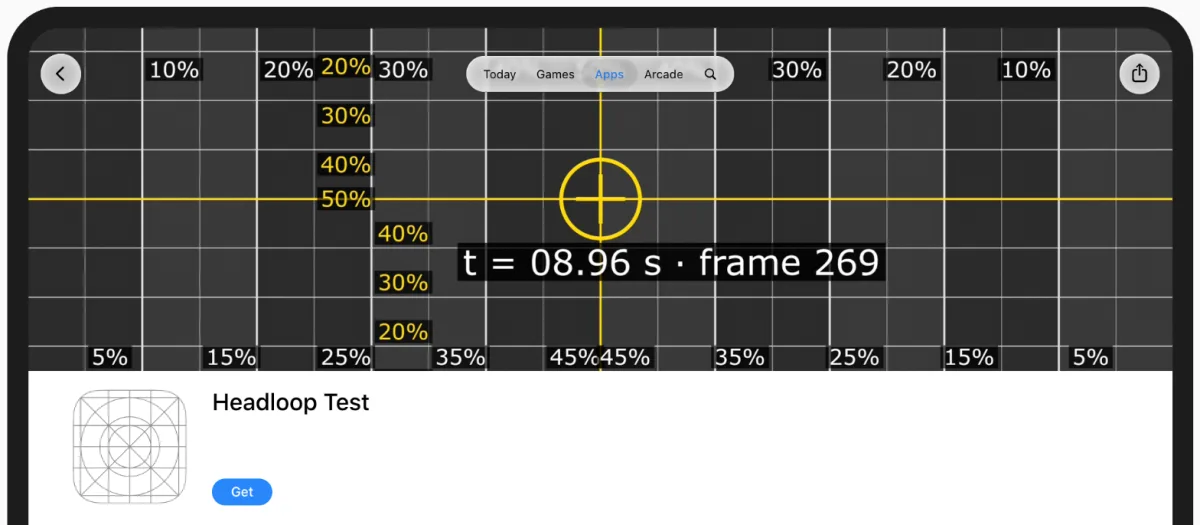
iPad in landscape.
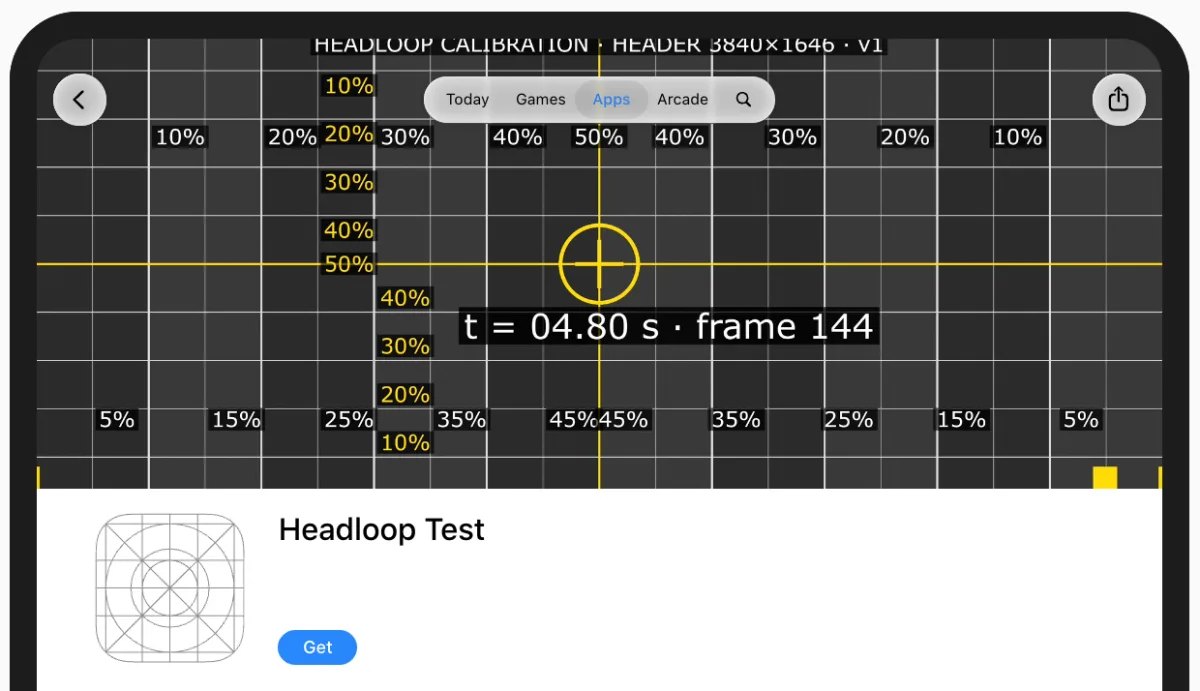
iPad in portrait.
On iPad every vertical line of the grid shows, and the cut is at the top and bottom. In both orientations the tab bar (Today, Games, Apps, Arcade, Search) sits over the top centre, between the two buttons.
On iPhone Duo the result depends on the screen. The outer screen shows the whole file in portrait and cuts 19.2% at the top and bottom in landscape. The inner screen cuts 9% on each side in portrait, and 7.1% at the top and bottom in landscape.
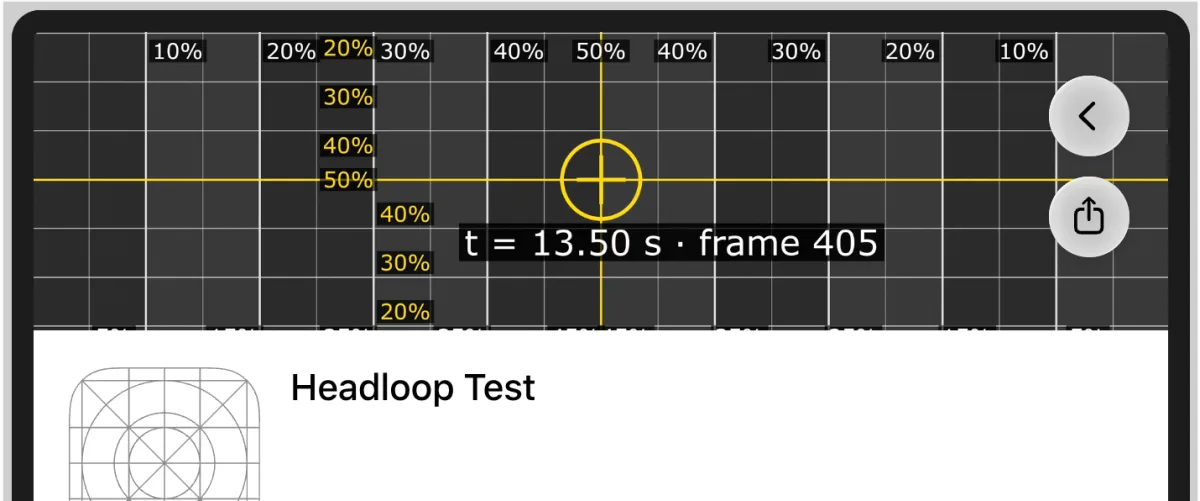
iPhone Duo, outer screen, landscape: the buttons move to the right edge.
iPhone Duo, inner screen, portrait: the 5% labels are gone.
Search results
We did the same with a 1920 × 1280 video in search results. In every device and orientation, the frame had the file's 3:2 ratio, and no button or bar covered the video.
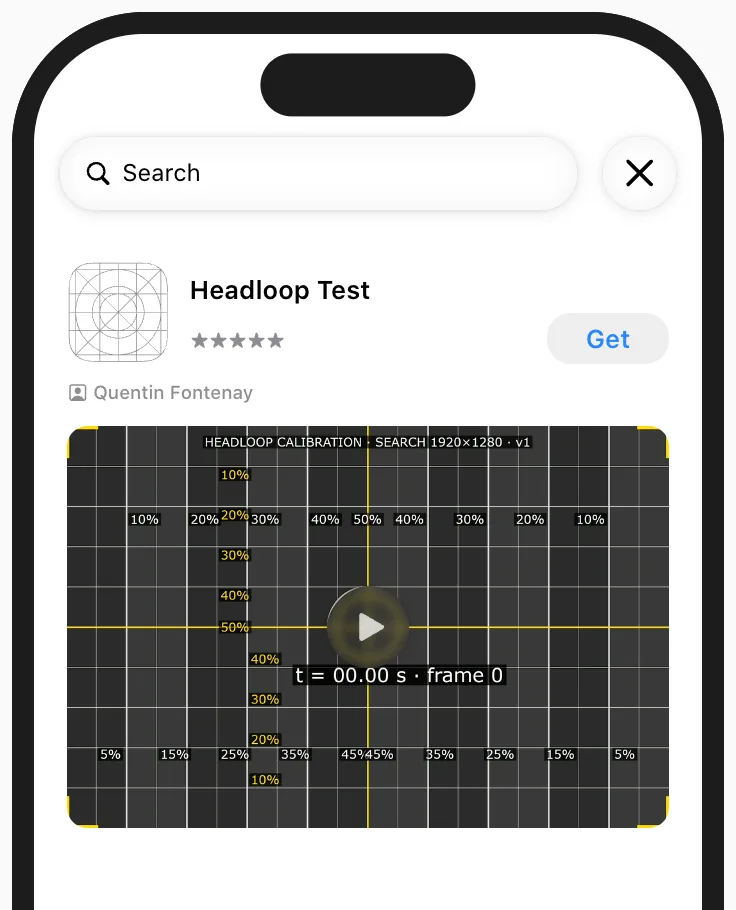
Search results on iPhone, with all four corner marks visible.
The 8% figure
Apple publishes no crop values. Its guidance asks developers to "design key elements with a safe area in mind to accommodate different devices and orientations", and its templates draw that safe area.[2] In the header template, ASO Agency measured it at 1646 × 661 px of 3840 × 1646, one box for every device.[3]
The iPhone figures that circulate come from the same preview. On October 6 a developer read the visible part as "about x 330…3530 of 3840", about 8.6% per side.[4] On October 9 another reported about 8%.[5] Our checker also used 8% until this measurement.
On October 22 we also opened two live product pages on an iPhone 15 with iOS 27.0.1, and the header sat in the same 1.51:1 frame as in the preview. We can't tell whether Apple changed the layout after October 9 or whether the earlier readings came from another iPhone model. Apple marks the preview "for reference only".[5]
For your own header
On iPhone and iPad, text, logos and faces stay visible inside the middle 64.8% of the width and 70% of the height, outside the top corners and the top centre. The outer screen of iPhone Duo in landscape leaves 61.6% of the height.
Apple picked the frame at 5.03 s as the poster frame for each of our three calibration videos.
Our checker draws these zones over your video, device by device.
These figures come from one test account on October 22. Apart from iPhone in portrait, they come from the preview, not from a device.
The editor is coming. Get notified when it opens and when Apple changes the specs.
Sources
- Manage your App Store assets (App Store Connect Help), checked
- App Store asset best practices (Apple Developer), checked
- App Store Creative Assets & Product Page Headers: The iOS 27 Playbook (ASO Agency), checked
- fix: App Store header fits the iPhone crop (dredfort42/dredfit pull request 306, GitHub), checked
- App Store creative assets: sizes, API upload and review (DEV Community), checked